I am not a frequent cloud agent user but I like to experiment with different solutions in order to achieve my goals. The goal here was simple.
Automate testing. Not just unit testing but the testing I always have to do after adding features to apps or doing bigger releases where I always test the app end to end to ensure everything will work for the end user, making sure the app actually does it's job, all the features work.
This normally means clicking through everything ... and spend lots of time doing so plus capturing any bugs or deviations.
I am a former Windsurf user from the past and now a Devin user, spending most time in Devin Desktop, but since Devin's subscription includes also cloud agents, why not trying it out.
I did already play a bit with testing with Devin and this was absolutely amazing
Finally I can hand over testing to someone who will be more thorough than me. Devin is doing all the testing for me from now on, I quit testing. I will just ask devin to go through my code end to end and prepare a test plan, and ask him to run it in the cloud.…
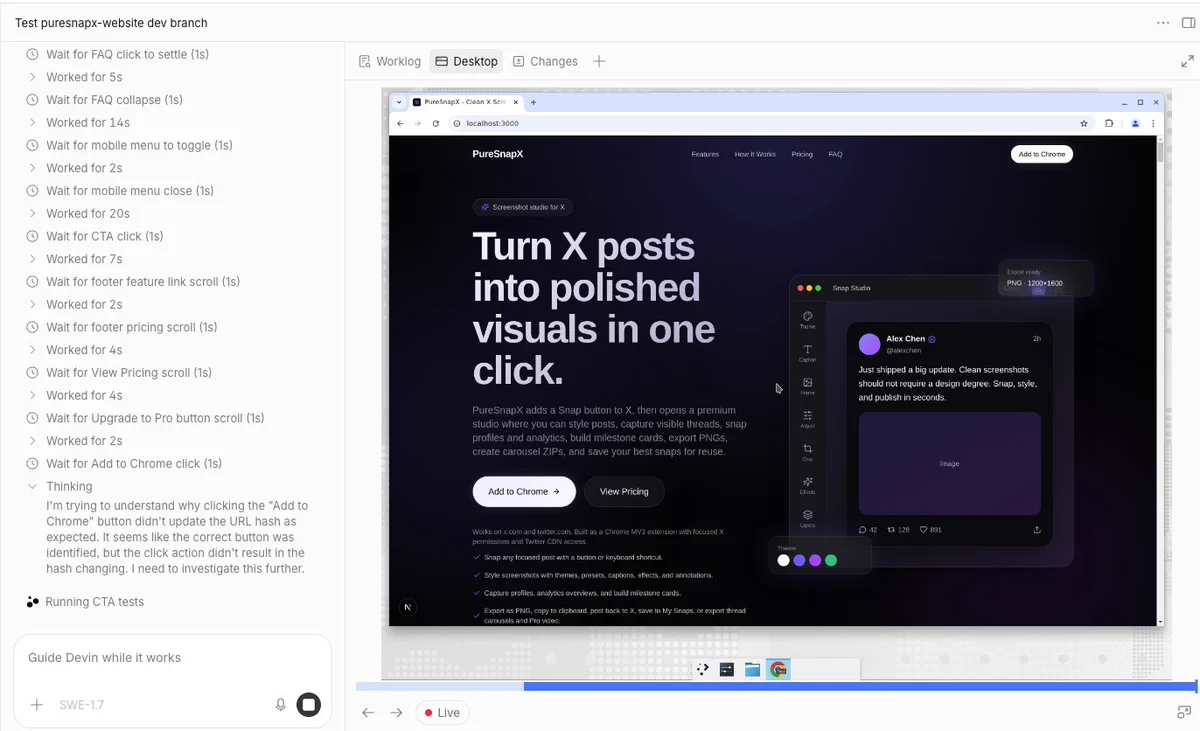
I had my website tested by devin cloud agent, end to end, with a full test report and test reporting.
That encouraged me to go with XpressPurge chrome extension testing.
Use Case: Testing a chrome extension which filters out X posts
XpressPurge is a chrome extension that is working on X and helps you filter out all the posts you don't want to see (eg. engagement bait, memes or anything you specify).
I have been working on AI automated filtering feature called AI Coach where, instead of adding keyword rules , you specify what you like and dislike in your own words, and based on that AI creates all the settings for you - selects appropriate packs which are enabled with weighted common phrases, writes down your multiple phrases for your likes and dislikes which are used in the automated filtering by an embedding model that checks if the post matches what you have selected.
The testing needed to cover:
- End to end app functionalities testing
- Test the AI coach features and automated filtering
Number 2 normally would involve me setting up the AI Coach and scrolling on an X account and then validating if the filtered out posts are matching what I have specified or are actually wrong calls.
What's Devin Outpost?
An outpost is a named queue of Devin sessions to be served on your own machines. Once you register an outpost (e.g. gpu-h200 or dev-boxes), it appears as a machine option in Devin Cloud alongside Ubuntu, Windows, etc. — Cloud sessions started on an outpost wait in its queue until one of your machines picks them up.
Every machine that serves sessions from an outpost is a worker. So you need to install devin cli and start the worker
devin worker start --outpost=<outpost_name>With this setup, your macbook, AWS server or any other machine becomes Devin's vm.
This is a new feature which works alongside existing options to choose ubuntu or windows cloud vm's to let devin run
Why outposts? Why not just Devin.ai directly?
In this specific case Devin needs to have the possibility to use X. I tried devin.ai cloud agents without outposts, using a standard Ubuntu environment, but log in to X was not working, most likely due to X preventing robotic logins from datacenter based IPs and probably some more safety nets exist there.
With outposts, devin just uses my macbook as the environment instead of that windows or ubuntu vm so it looks like as if I am using chrome for testing from my home network.
Was this fully automated 100% head to toes?
No.
And I did this on purpose. As it was my first time doing this. I asked devin in the test plan to set everything up, up until the X login, so Devin:
- Created 2 separate chrome sessions
- Named each session by having a html created and opened in each of the (one was Free - to test the extension free tier, and one was Pro to test the pro features)
And waited for me to log in to X which required getting an sms and putting the code in. Rest was done on autopilot.
What devin tested and how did the process go?
Devin executed and extensive test plan i had for him ready in the repo. Tested if all the features work from ui and ux perspective.
Secondly it went on and did the onboarding as a new free and pro user. During the onboarding he specified all the likes and dislikes I have asked him to which he validated if it worked and if it trigger the neccesary settings inside the app.
Later on he went on X and started scrolling and capturing posts he scrolled and later the posts that were filtered out as I asked him - i wanted a full report of what was filtered out to understand if my app mechanics work as designed and they are filtering out right content
Note: each XpressPurge user has an option to check that himself and select a 'wrong call' button for any post that should have been kept in the for you feed.
Devin scrolled for 15 minutes as a free user and 15 minutes as a pro user plus was saving all the requested details on the side.
As the end result I've got a full end to end report with all the findings - that I will go through ... plus ask Kimi inside Devin Desktop to review the findings agianst the codebase and provide list of solutions we need to apply.
Devin is your buddy you can talk to while work
What's cool about devin cloud agent, is that while he is performing work you can throw messages which he reacts to immediately.
Example: I noticed he was scrolling settings and thought he got stuck or something. so asked him why he isn't scrolling x, well he replied that this is expected cause he is testing if all the features work in the settings as per plan (phases which I forgot), asked him also if ram usage is fine
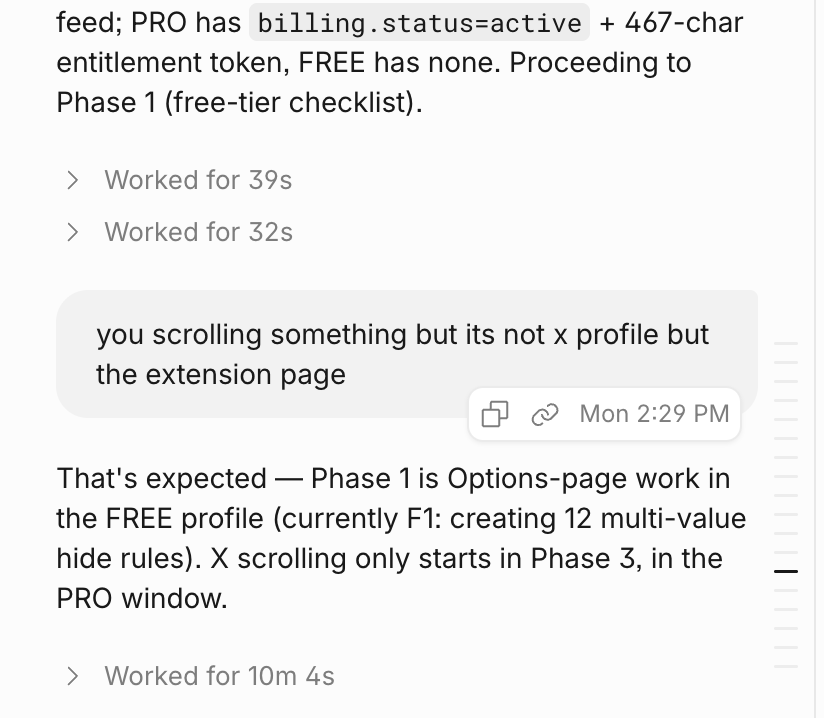
This was an assisted round of testing cause there were some bits I decided not to automate as they were in the early stage of the test and I just didn't want to spend time on test preparation.
Mistakes I made
Some things I could have done better, lessons learned for me
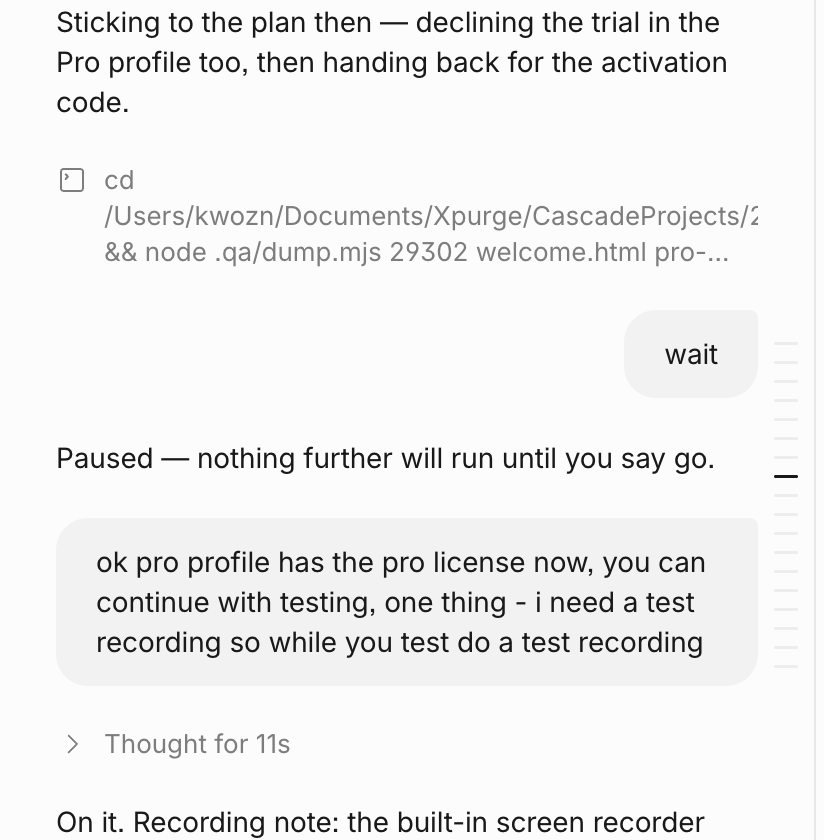
- Screen recordings. I asked to screen record during the session, but as i was using cmux as my terminal, had to grant cmux access to video and audio recording. To make this change take effect I would have to restart it, which would kill our session. Decided not to do it. Lesson here is to have all environment setup ready before testing
- I could have divided this test into 2 parts. One on the apps functionalities which can be tested without x - had this running on a cloud vm via non outpost devin environment, and the X part as a new session in parallel via outpost environment. this would save a lot of time.
- Better preparation on my side. I should have reviewed the test plan more carefully and prepare pro license codes in advance so I didn't have interrupt devin while working and also save up some time to have a smooth experience.
Next steps:
I will be using cloud features of Devin more and more. Testing became my go to task for devin.ai but as it's summer time I travel with my family and not being glued to the laptop would helm me to better balance that time.
I will be looking to set up my development workflow in such a way to utilize cloud coding more while traveling as it just works out of the box with Devin.
No need to get any Hetzner vps, install things there, do any setups.
Just need to ensure that all the code is pushed from my local repo to github so that when my laptop is not around Devin has the up to date code.
What do you want to know more about?
What do you want to know about Devin and Devin desktop?
Let me know what would be interesting for you ? If you want a Devin Desktop guide and the features I like?
Or how to use other subscriptions inside devin?
Happy to assist 🫡😎